
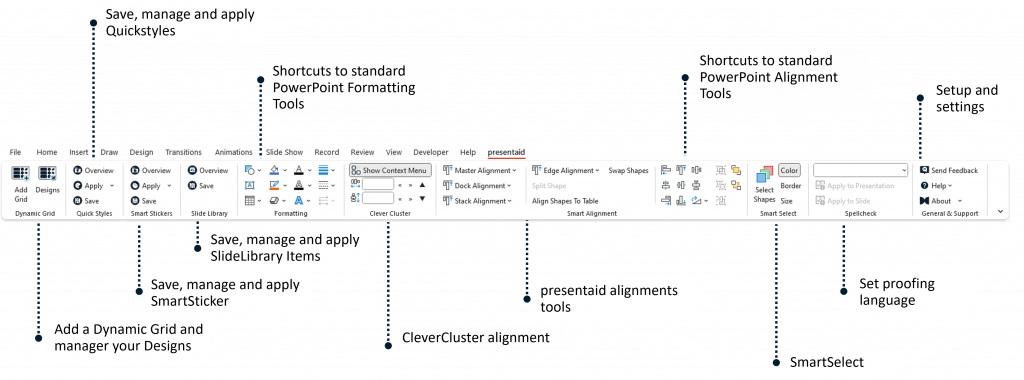
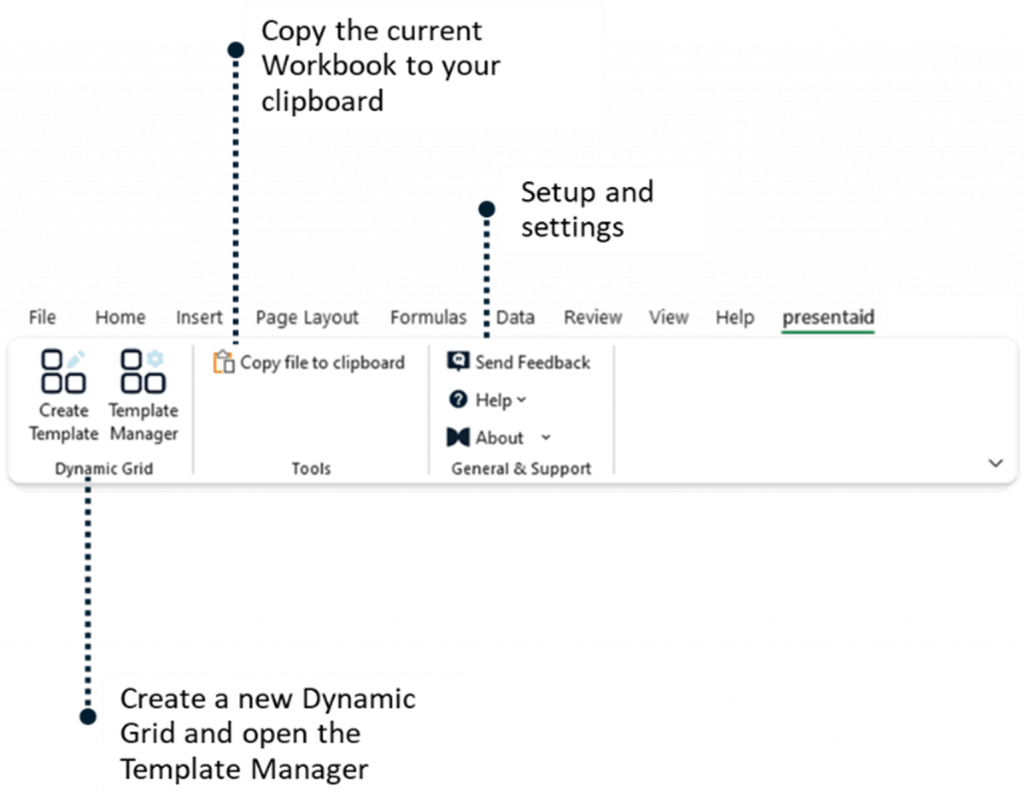
After installation, presentaid adds its own presentaid tab to the ribbon in PowerPoint and Excel. All functions start from there.
PowerPoint Ribbon
Excel Ribbon
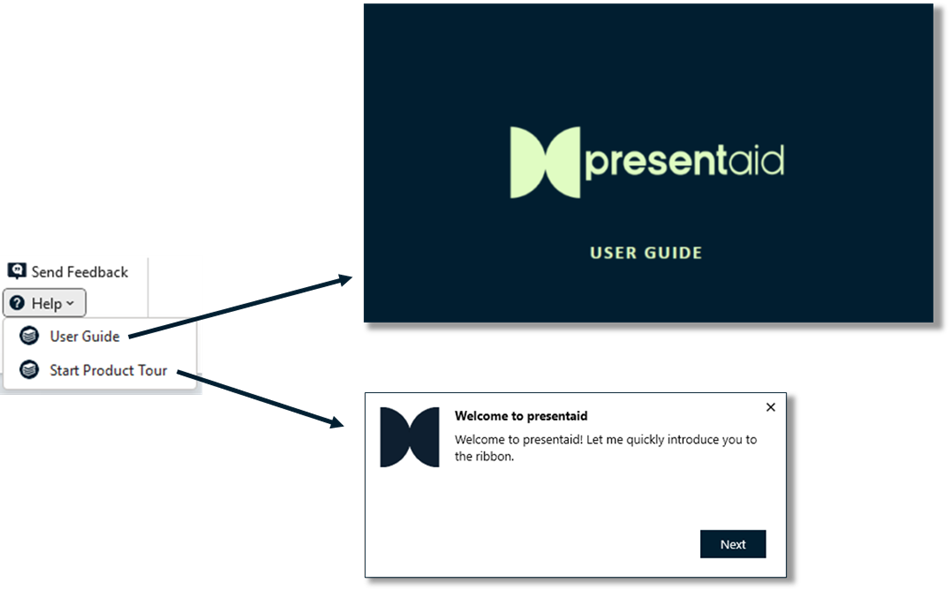
Note: You can open a detailed user guide by clicking on Help → User Guide in the presentaid ribbon.
Where to Start
- Align, resize and format shapes faster: How to Work with the Productivity Pane
- Create waterfall, Mekko, waffle and other charts: Introduction to presentaid Charts
- Turn Excel data into tables and status reports: Introduction to the Dynamic Grid
- Build a Gantt chart on the slide: How to Work with Gantt Charts
- Create agenda slides: How to Work with the Agenda Manager
- Reuse your best slides: How to Work with the Slide Library
- Share slides and templates with your team: How to Work with Shared Libraries
The presentaid Tab Is Missing
Check whether Office has disabled the add-in: Troubleshooting: Add-ins are Missing in Office