Tips, tutorials, and insights for PowerPoint professionals.
PowerPoint can show up to 50 brand colors under "Custom Colors" in every color menu. Here is the XML hack behind it - and how presentaid does it in one click.
Large decks are rarely caused by one obvious culprit. They usually grow through a handful of oversized images, hidden slides, copied masters, and embedded media that make the file hard to share, slow to open, and frustrating to update.
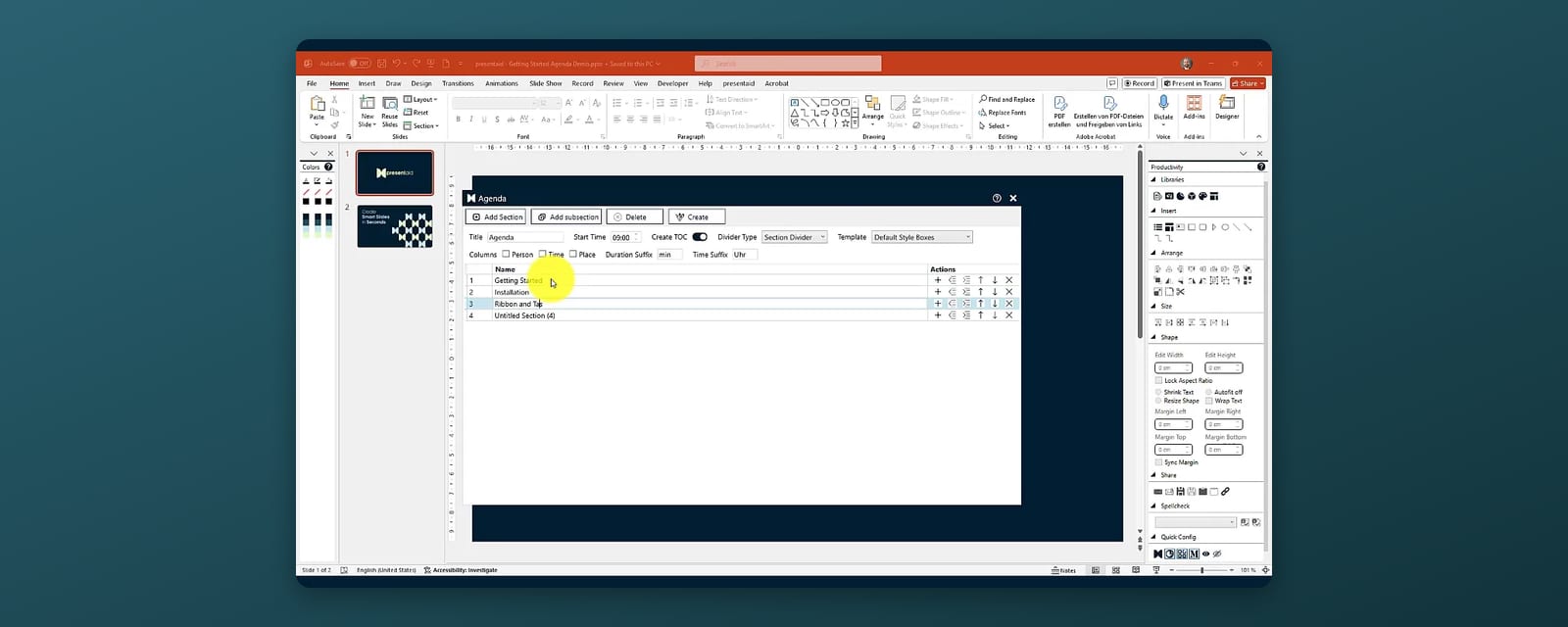
Agenda slides go stale the moment a section moves. Three ways to build one in PowerPoint - manual, Summary Zoom and the presentaid Agenda Manager - and how to keep page numbers and highlighting right.
A chart is where most business arguments are won or lost. Yet the average chart in a deck is either unreadable, quietly misleading, or so painful to update that nobody dares touch it. Here is what separates a convincing chart from a confusing one - and why the ability to change it in seconds matters just as much as how it looks.
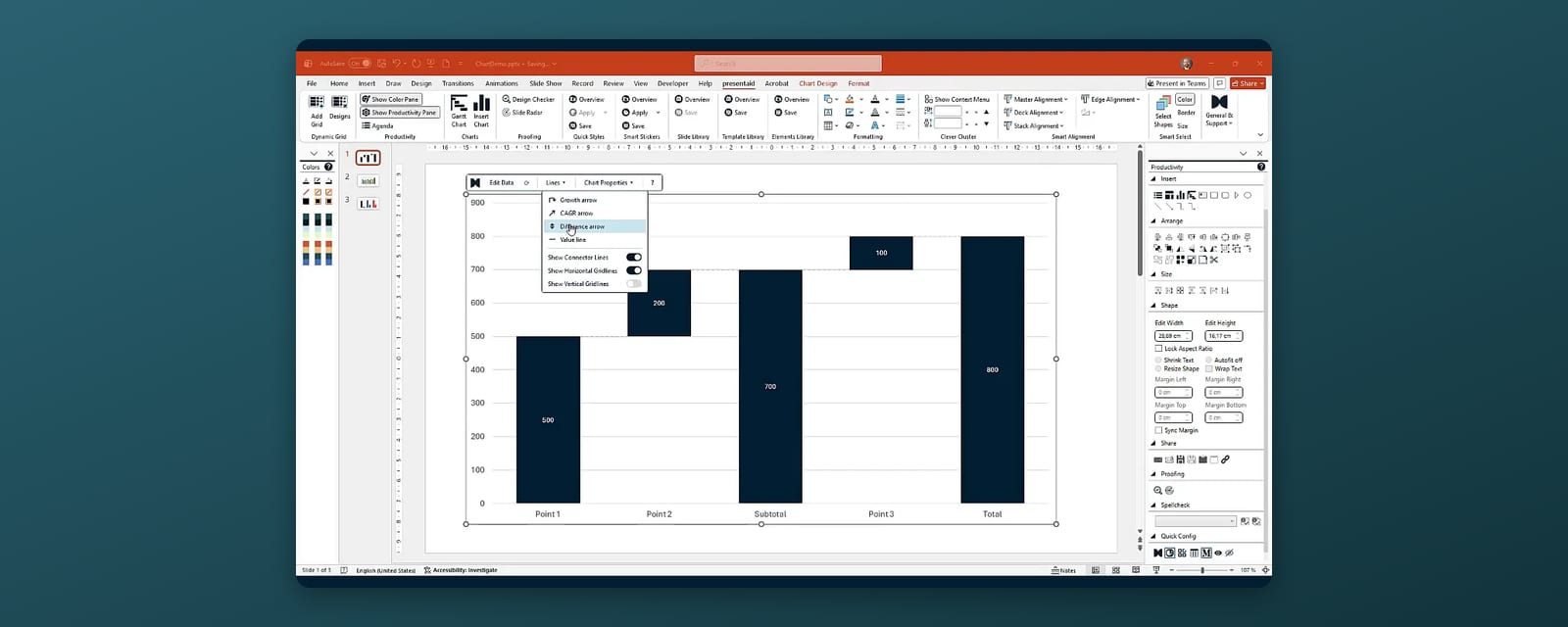
A waterfall chart shows how you get from a start value to an end value. Here is how to build one in PowerPoint - with the built-in chart and with presentaid - plus the mistakes that make bridges hard to read.
Every off-brand font, inconsistent color, and outdated slide chips away at how professional your presentations look - often without anyone noticing until it's too late. Here's why brand consistency and up-to-date content matter, and how our new Design Checker and Slide Radar features make both effortless.
Tables are one of the most powerful tools for presenting structured data in PowerPoint - but maintaining them is painful. Here's how to get the most out of them, and how presentaid removes the friction.
A June 2026 PowerPoint update quietly broke copying slides and shapes from read-only presentations, disrupting add-ins and macros across the business world. We detected it, confirmed it with Microsoft, and shipped a hotfix in no time.
An automated agenda gives your slide deck clear direction, improves story flow, and helps your audience follow every insight from start to finish.
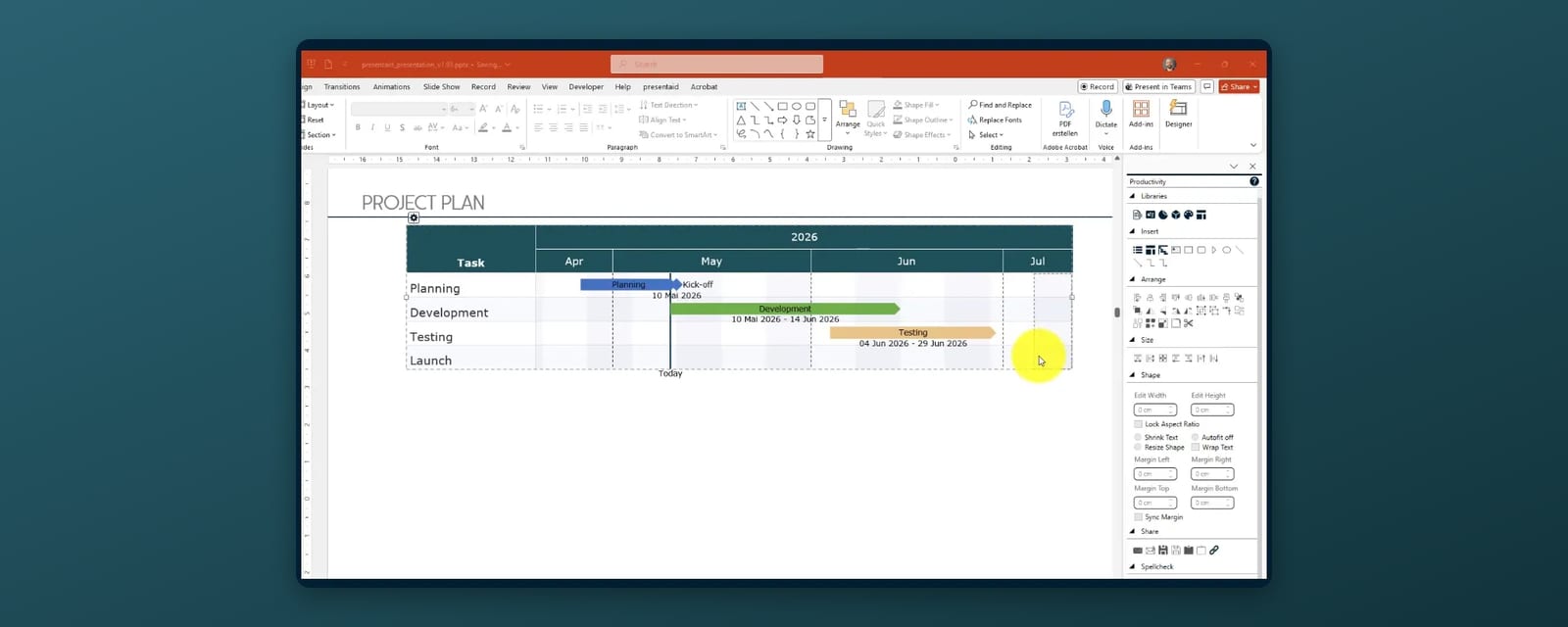
Our new WYSIWYG Gantt Chart editor lets you draw, edit, and present project timelines without leaving PowerPoint. No formulas, no external tools, no copy-paste.
Three ways to put a project timeline on a slide - shapes, a stacked bar chart, or a Gantt editor - and which one survives the next schedule change.
Discover a structured approach to managing PowerPoint templates across your organization - from personal to enterprise-wide.
Learn how to set up automated reporting workflows that save hours every week and eliminate errors.
Practical strategies for enforcing corporate design standards across large organizations using presentaid.
A step-by-step guide for Project Management Offices looking to automate their PowerPoint-based reporting.