Introduction
Highlighting of certain areas on your slides has never been easier: With the Highlight and Transparent Overlay you can draw the attention of the recipients to the areas which are important to understand your message and make decisions.

How to highlight areas on your slide
Select the shapes/Table Cells that you want to Highlight or make transparent.
- Right click the shapes that you want to highlight and choose presentaid highlight → FitBox/Transparent overlay
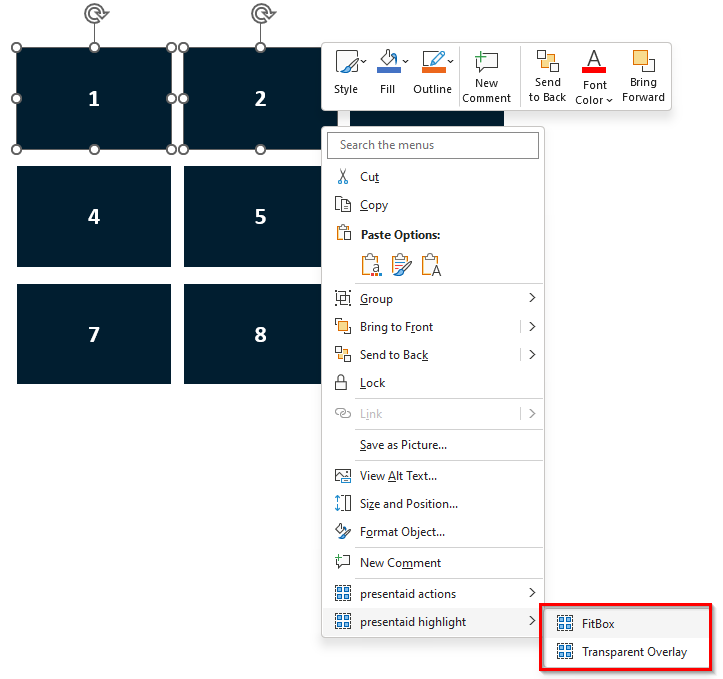
Highlight Context Menu - Done!
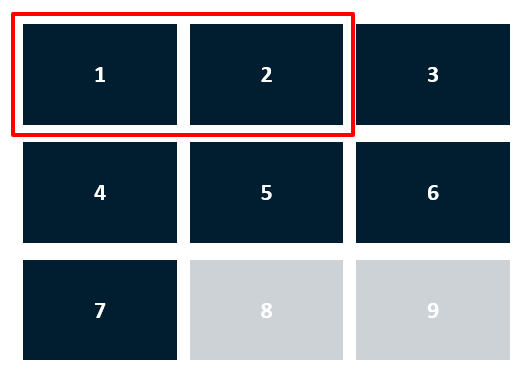
FitBox Result
Changing the highlighted area
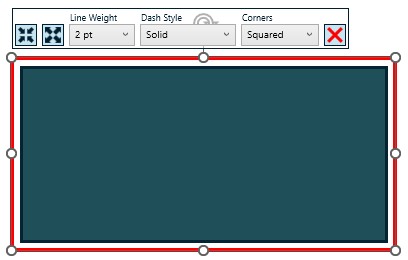
When selecting a previously placed highlight box, a context menu will show up, allowing you to adjust the appearance of the highlight. You can change the shape size, line weight, dash style, and corner style of the highlight box directly from this menu.