
A Quick Style saves the style of a shape under a name, so you can give other shapes the same look in one click.
Save a Quick Style
- Right click the shape with the Style that you want to save and choose presentaid actions → Save Quick Style
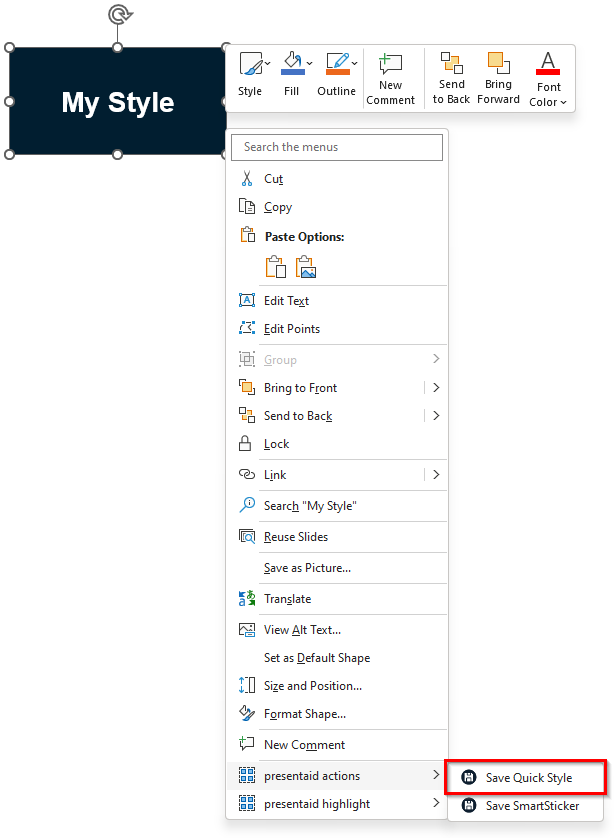
Save Context Menu - Give your Quick Style a name and assign it to a group *(optional)*
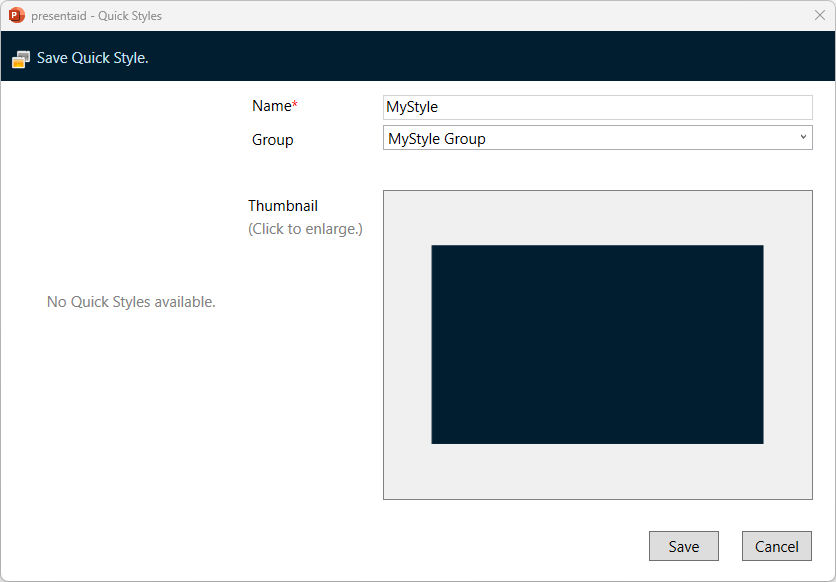
Save Panel
Apply a Quick Style
- Select the shapes that you want to apply the Quick Style to
- In the presentaid ribbon, go to the Quick Style group and click Apply
- Alternatively, click on the little arrow next to Apply to open the Gallery View. You can select between the Flat View (shows all Quick Styles) or the Grouped View.
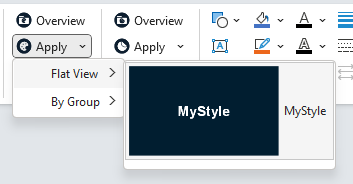
Apply
Good to Know
- Groups keep a long list of Quick Styles manageable: the Grouped View shows them by group.
- To copy a look from one shape to others just once, without saving it, use the Style Painter. It also lets you pick exactly which properties to copy.