
Einen Quick Style speichern
- Rechtsklick auf die Form mit dem Stil, den du speichern möchtest, und wähle presentaid actions → Save Quick Style
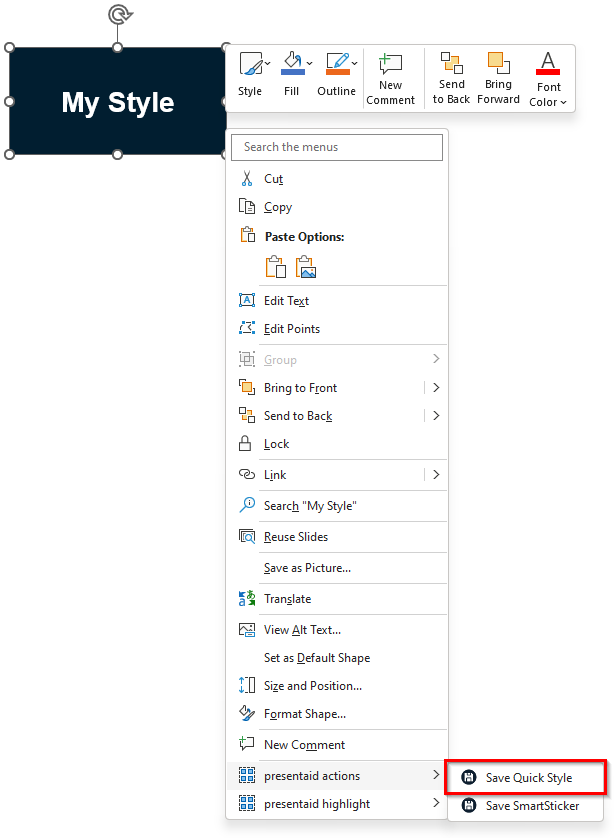
Save Context Menu - Gib deinem Quick Style einen Namen und weise ihn *(optional)* einer Gruppe zu
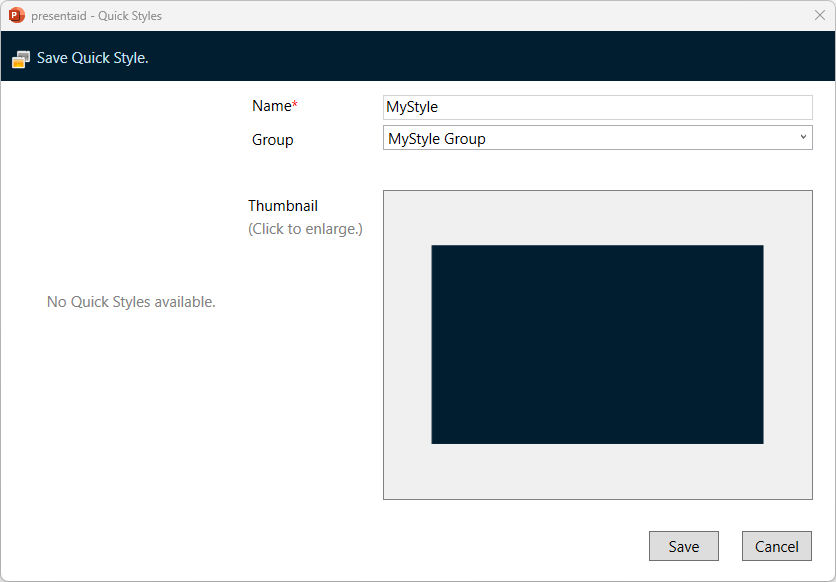
Save Panel
Einen Quick Style anwenden
- Wähle die Formen aus, auf die du den Quick Style anwenden möchtest
- Gehe im presentaid-Ribbon zur Gruppe Quick Style und klicke auf Apply
- Alternativ klicke auf den kleinen Pfeil neben Apply, um die Gallery View zu öffnen. Du kannst zwischen der Flat View (zeigt alle Quick Styles) und der Grouped View wählen.
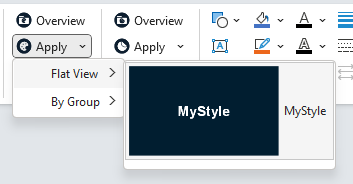
Apply