
Einführung
Mit der presentaid Presentation Template Library kannst du ganze Präsentationsvorlagen speichern und verwenden. Immer wenn du eine neue Präsentation startest, kannst du aus deinen gespeicherten Vorlagen auswählen.

Eine Präsentation speichern
- Rechtsklick im Folienbereich → Save Presentation in Template Library
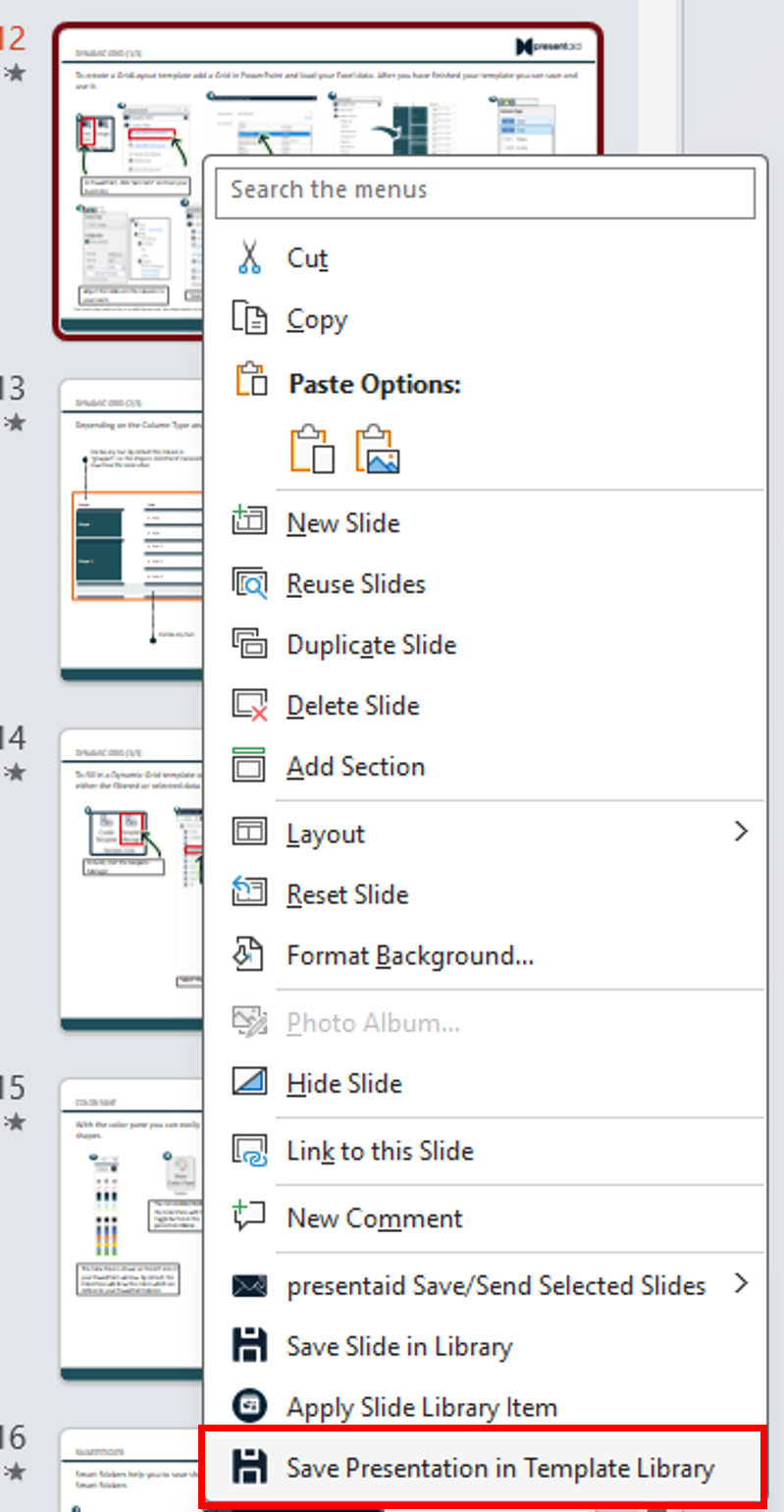
Context Menu - Vergib einen Namen und speichere deine Präsentationsvorlage.
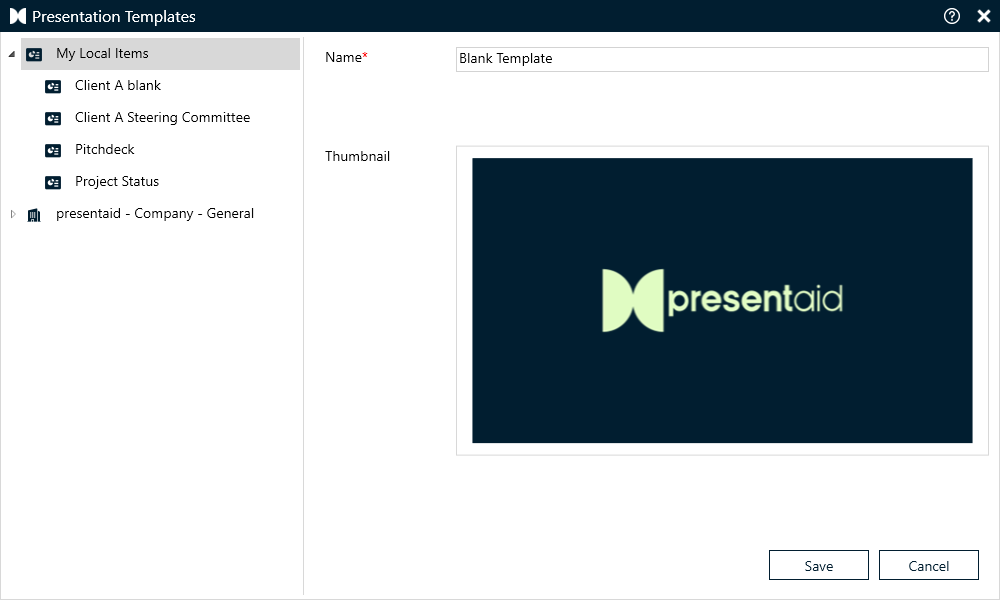
Save
Eine Präsentationsvorlage verwenden
Standardmäßig erscheint die Presentation Template Library jedes Mal, wenn du eine neue Präsentation in PowerPoint startest. Du kannst diese Funktion im Bereich About deaktivieren.
Hinweis: Bist du Teil einer Organisation, könnte diese Einstellung deaktiviert und zentral von deiner Organisation verwaltet werden.
Gut zu wissen
- Eine Vorlage wird mit allen Folien gespeichert. Nimm also die Folien auf, die jede neue Präsentation braucht (z. B. Titel-, Agenda- und Abschlussfolie).
- Für einzelne Folien, die du oft wiederverwendest, nutze stattdessen die Slide Library.
- Für Word-Dokumente funktioniert es genauso: So arbeitest du mit der Word Document Library