
Prüfen, ob presentaid in PPT/XLS aktiviert ist
- Klicke in PPT/XLS auf File → Options → Add-ins
- Wähle unten im Dropdown-Menü COM Add-ins
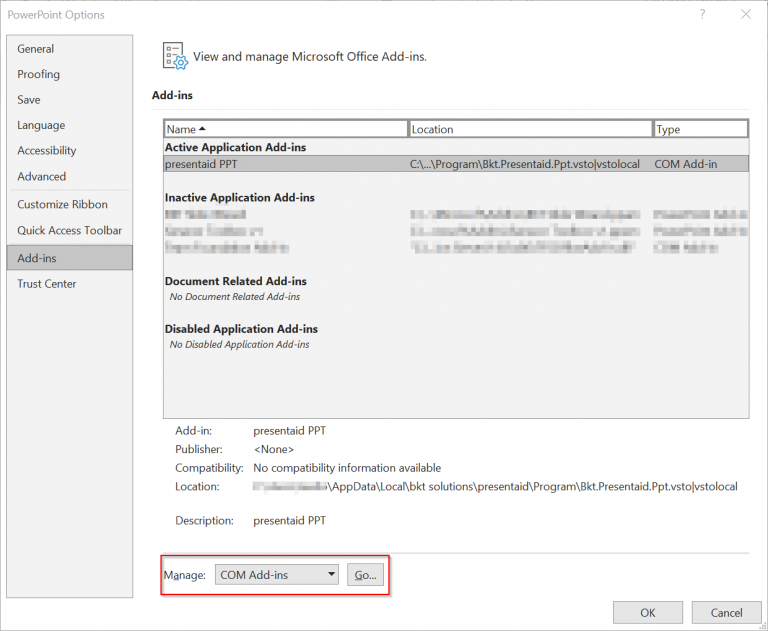
Addin Overview - Wähle das presentaid-Add-in aus und stelle sicher, dass das Häkchen gesetzt ist
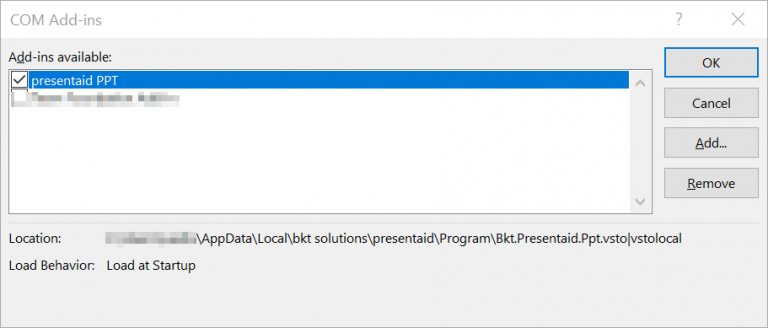
COM Add-ins overview
Achtung: Die häufigste Meldung, die auf ein Problem hinweist, lautet 'Not loaded. A runtime error occurred during the loading of the COM add-in'.
presentaid aus den "Disabled Items" entfernen
Ist presentaid nicht in der Liste "COM Add-ins" zu finden, musst du es aus den deaktivierten Elementen entfernen.
- Klicke in PPT/XLS auf File → Options → Add-ins
- Wähle unten im Dropdown-Menü Disabled Items
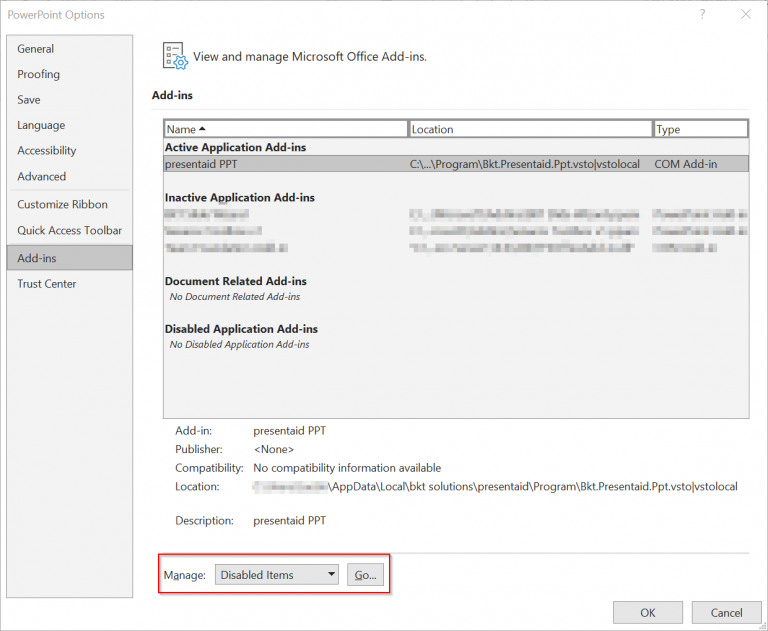
Disabled Add-ins Overview - Wähle das presentaid-Add-in aus und klicke auf Enable

Disabled Add-ins Details
"Not loaded. A runtime error occurred during the loading of the COM add-in"
Wird dieser Fehler im "Load Behaviour" des presentaid-Add-ins im Bereich "COM add-ins" angezeigt, kann das mehrere Ursachen haben. Um diesen Fehler einzugrenzen, musst du VSTO Display Alerts aktivieren und versuchen, das presentaid-Add-in zu aktivieren.
- Öffne die Systemeigenschaften/Suche nach Systemeigenschaften
- Wähle den Tab Advanced und klicke auf Environmental variables
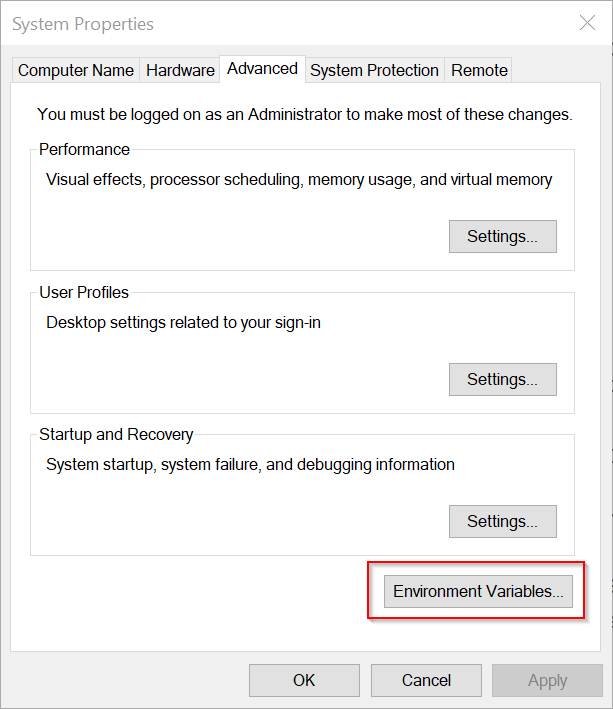
Open Environment Variables - Klicke auf New
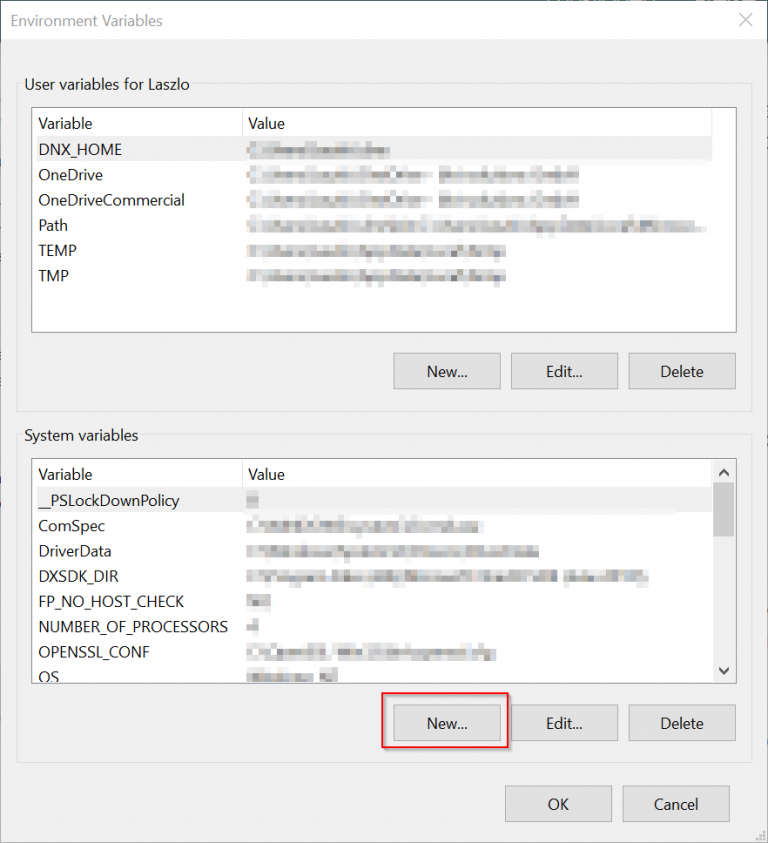
Create New Environment Variable - Füge eine neue Variable mit dem Namen "VSTO_SUPPRESSDISPLAYALERTS" und dem Wert "0" hinzu
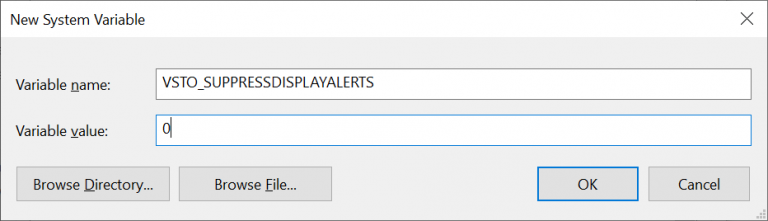
Set Environment Variable - Klicke in PPT/XLS auf File → Options → Add-ins
- Wähle unten im Dropdown-Menü COM Add-ins
- Wähle das presentaid-Add-in aus und setze das Häkchen. Du solltest jetzt eine Fehlermeldung sehen. Bitte sende einen Screenshot der Fehlermeldung an support@presentaid.com, damit wir uns das ansehen können.
presentaid ist in PPT/XLS überhaupt nicht verfügbar
Falls du presentaid installiert hast, es aber weder unter COM Addins noch unter dem Tab für deaktivierte Add-ins findest, gehe wie folgt vor:
- Deinstalliere presentaid von deinem Rechner
- Deinstalliere Microsoft Office von deinem Rechner
- Installiere Microsoft Office neu
- Installiere presentaid neu
- Starte XLS/PPT und prüfe, ob presentaid jetzt verfügbar ist
Hat das dein Problem nicht gelöst, kontaktiere uns bitte.